Prepare the columns
Place broad categories on the left and more specific values toward the right.
Convert CSV rows and columns into a visual hierarchy, preview the grouped branches and continue editing the result online.
Supports UTF-8 CSV files up to 500KB. Columns are read from left to right.
Your original file stays in this browser during parsing.
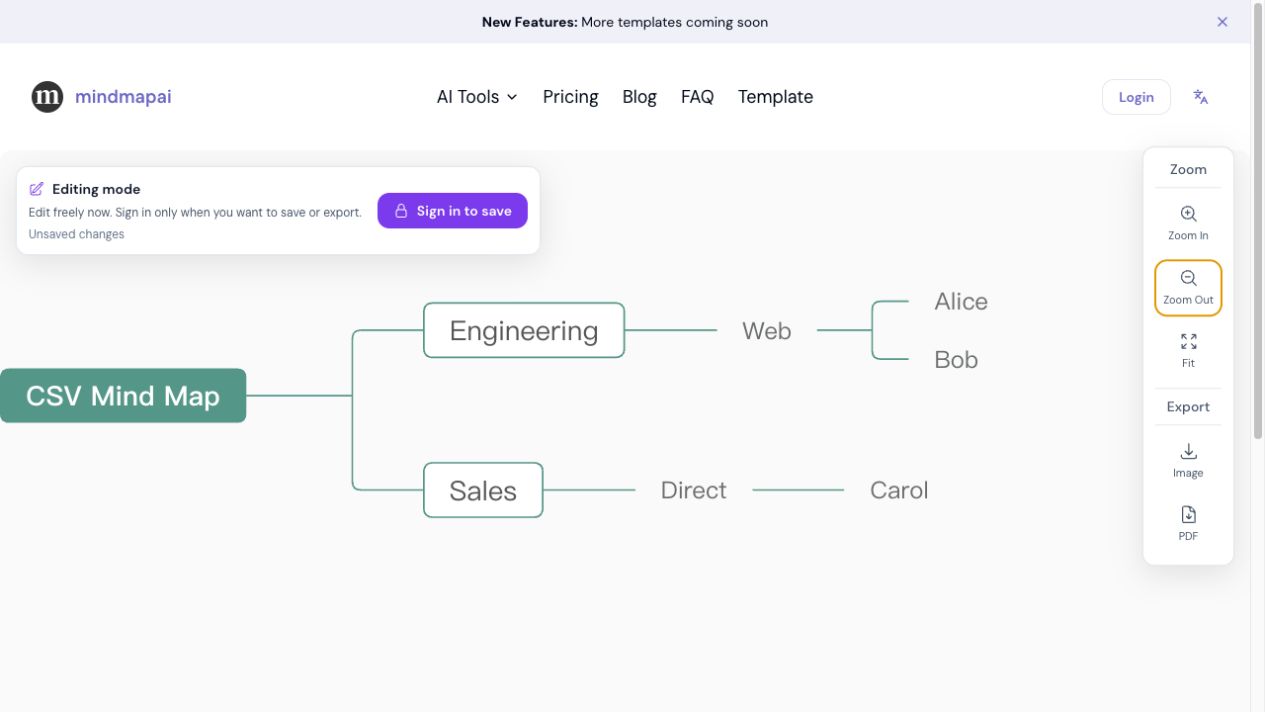
Each row becomes a path from left to right. Repeated values under the same parent are merged.
Input
Department,Team,Member
Engineering,Web,Alice
Engineering,Web,Bob
Sales,Direct,Carol
Mind map hierarchy
CSV Mind Map
├── Engineering
│   └── Web
│       ├── Alice
│       └── Bob
└── Sales
    └── Direct
└── CarolCSV files store information as rows and columns, but they do not define one universal mind map structure. This converter uses a simple, predictable rule: non-empty values in each row become a path from the first column to the last column. Shared values under the same parent are merged into one branch.
This approach works well for category tables, team structures, content plans and other data where column order already moves from a broad group to a specific item. A preview lets you verify the interpretation before a map record is created, and the result can then be changed in the existing editor.
Use the order of your CSV columns to build a hierarchy.
Place broad categories on the left and more specific values toward the right.
Upload or paste the CSV and review how repeated row paths are merged.
Open the hierarchy in the editor to rename, move or remove branches.
Map departments, teams, roles and people from broad to specific columns.
Visualize channels, campaigns, topics and individual content items.
Group categories, product families and products in a browsable hierarchy.
Turn subject, chapter, topic and concept columns into a review map.
The CSV file is read and grouped in your browser. The original table is not uploaded. When you continue to the editor, only the resulting mind map hierarchy is saved through the existing map workflow.
Values are read from left to right. The first non-empty value starts a branch and each following value becomes its child.
Repeated values under the same parent are merged. The same value under a different parent remains a separate branch.
Yes. The first non-empty row is treated as column headings, followed by one or more data rows.
The first version supports UTF-8 and UTF-8 with BOM. In Excel, choose CSV UTF-8 when exporting.